What to do when you receive your API Key and Client credentials.
Once approved, you will receive a secure email to your company contact that will contain your API Key, Client ID, Client Secret, and authorization service endpoint. If PKI is required for your implementation, additional documentation will be provided in lieu of a client secret.
Example:
- API Key: aw4ion349sfa09jad
- Client ID: lwa4984308rjdlksdkl
- Client Secret: 3io4j09jfsklaskdajf
What do I do with the API Key?
The API key is used to protect the Empower API from unauthorized access. When you application makes a request to the API, the API key must be supplied as a request header named x-api-key with the value of the API key delivered.
What do I do with the Client ID and Client Secret?
Empower APIs use OAuth as an authorization protocol that enables applications to access information on behalf of the user. Client credentials are required per OAuth2 specification to exchange for an access token.
For a B2B solution Empower uses the industry standard client credentials for authentication. The Client secret and ID will be used in a call to the Empower authorization token endpoint communicated to you to obtain an access token. Using Type of Basic Auth, set client_credentials as grant_type, Username set to your received Client ID, and Password set to your received Client secret value. This call will return a bearer access token. If PKI is required for your implementation, additional documentation will be provided in lieu of a client secret.
Example of a Postman call to obtain the token:
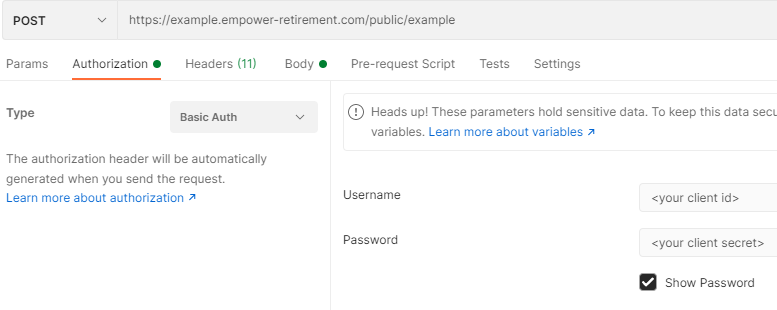
This access token will be used on a request to the API as the value for the Authorization header variable..
